
FlyCart 30 for Dusty Power-Line Mapping: Practical Setup
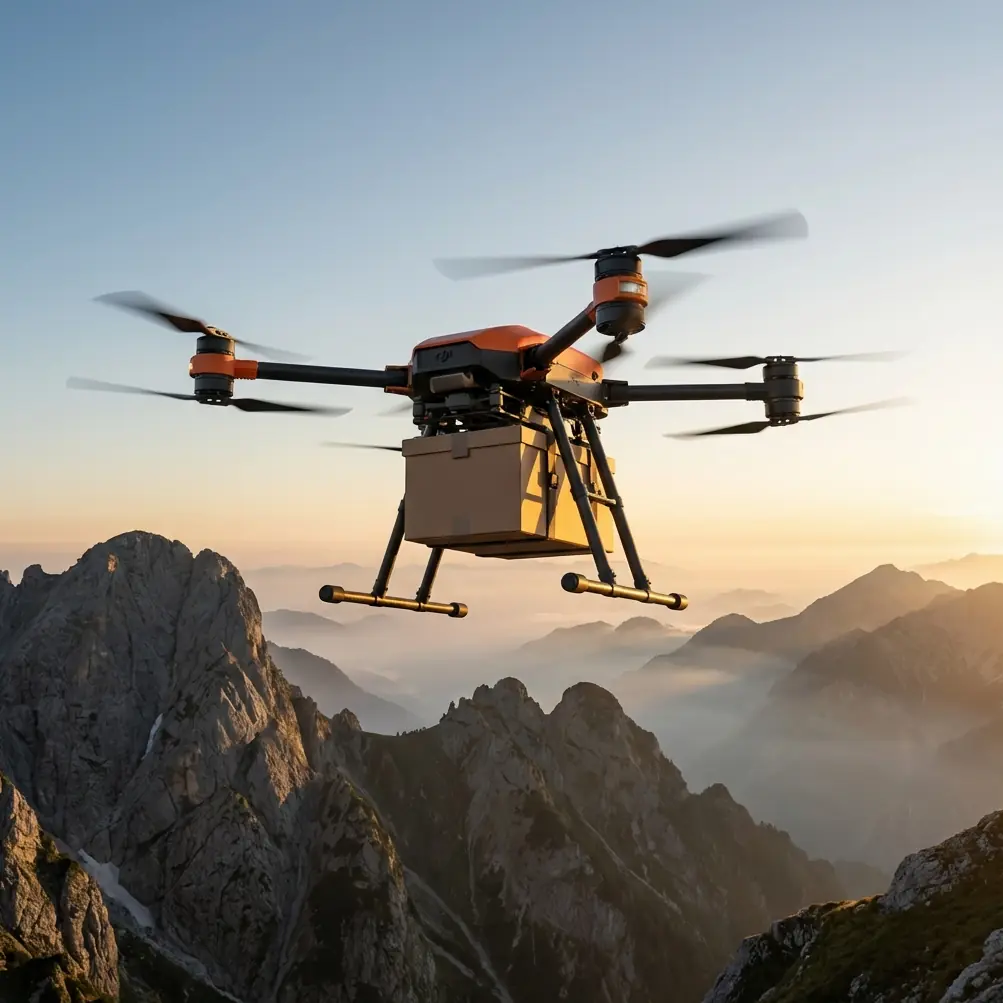
FlyCart 30 for Dusty Power-Line Mapping: Practical Setup Notes That Actually Matter
META: A field-focused FlyCart 30 guide for dusty power-line mapping, covering thermal protection, environmental limits, payload planning, winch use, BVLOS workflow, and route discipline.
When people look at the FlyCart 30, they usually start with payload and transport. Fair enough. But in a dusty power-line mapping job, that is only half the story. The harder part is building a workflow that keeps the aircraft, sensors, batteries, and accessories stable in heat, fine particulate exposure, and long utility corridors where small planning mistakes become lost hours.
I work from a logistics-first mindset, and that changes how I look at the FlyCart 30. The aircraft is not just a platform with lift. It is a moving system-of-systems: airframe, propulsion, imaging payload, mounting hardware, power, data capture, downlink, and field support. On a power-line mapping mission, especially in dry conditions, the quality of your output depends on how well those pieces tolerate the environment as a whole.
That is why one of the most useful reference points here is not even a drone manual. It is a system-integration design principle from aircraft engineering: once installed equipment is exposed to temperatures above 85°C, the technical specification must explicitly require thermal protection. That single threshold is worth paying attention to on a FlyCart 30 operation because dusty utility work often combines direct sun, reflective surfaces, dark equipment housings, reduced convective cooling, and stop-start workflows that trap heat exactly where you do not want it.
A second detail from the same reference is just as practical: “short-term” high-temperature exposure is defined as no more than 1 hour when ventilation openings or circulating airflow are available to remove or absorb heat. That matters in real field operations. It tells you not to confuse temporary survivability with all-day reliability. A sensor bay, battery compartment area, accessory enclosure, or third-party payload module might handle elevated temperatures briefly, yet still drift out of spec if it sits on the line all afternoon.
So if your job is mapping power lines in dusty conditions with a FlyCart 30, here is the right way to think about it.
1) Start with the mission profile, not the aircraft brochure
Power-line mapping sounds straightforward until you define the deliverable. Are you collecting corridor imagery for a broad situational model? Building a dense photogrammetry dataset around poles and towers? Capturing line-adjacent terrain and vegetation encroachment? Running repeatable route checks over a known network?
Each version changes the aircraft configuration.
The FlyCart 30 is often discussed as a logistics UAV, but that can be an advantage for mapping support work. Its payload handling, stable transport capability, and operational flexibility give you room to build a specialized field package. In dusty power-line environments, that often means carrying a mapping sensor setup to a staging point, deploying with carefully selected accessories, and then flying disciplined corridor routes rather than improvising in the air.
This is where payload ratio becomes more than a spec-sheet term. A healthy payload ratio is not about carrying the most weight possible. It is about leaving enough performance margin for wind, route recovery, hover stability near inspection points, and safe battery reserve. In corridor operations, that margin buys cleaner data and fewer rushed decisions.
2) Treat heat as a mapping problem, not just a maintenance problem
The reference material highlights several environmental temperature categories, with low-temperature values ranging from -15°C to as low as -65°C depending on equipment class, and long-term high-temperature values such as +55°C or +70°C. Even if those exact classes do not map directly onto a FlyCart 30 configuration, the operating lesson is clear: not every component on the aircraft tolerates the same thermal stress.
That matters because a dusty mapping site creates uneven heating. The drone may be fine. The camera may not be. The quick-mount accessory bracket may absorb radiant heat. The external monitor may dim. A third-party power distribution box may derate. Adhesives and cable routing can become weak points long before the aircraft itself shows visible trouble.
For FlyCart 30 operators, the practical response is simple:
- Keep accessory specifications documented, especially thermal limits.
- Avoid exposing mounted payload modules to direct sun during idle periods.
- Use shade discipline on the ground, not just for batteries but for sensors and field tablets.
- Separate “flight-ready” from “sun-baked on the tailgate.”
- Build cooling pauses into route blocks if your mapping cycle stretches toward the 1-hour short-term exposure concept described in the reference.
A lot of teams lose image consistency because they assume thermal risk starts at failure. It usually starts earlier, with drift. Lens behavior changes. Electronics throttle. Readings become less repeatable. Dust sticking to warm surfaces gets worse. Once that happens, the mission may still finish, but the dataset gets harder to trust.
3) Dust changes how you should configure the payload stack
Power-line corridors in dry regions are rough on airborne systems. Dust is not just a cleanliness issue. It affects cooling, optical clarity, connector integrity, and turnaround speed.
For the FlyCart 30, I recommend a payload stack that favors serviceability over maximum complexity. If your mapping operation depends on multiple add-ons, make sure they can be cleaned, inspected, and remounted quickly in the field. A heavy accessory ecosystem looks impressive in a lab. In dust, it often becomes a delay engine.
This is also where a third-party accessory can genuinely improve the mission. One of the most useful upgrades I have seen is a ruggedized quick-release gimbal protection and transport cradle from a third-party supplier. It sounds minor. It is not. In dusty utility staging areas, every minute your sensor hangs exposed while crews swap batteries, move vehicles, or reposition along the line is a chance for contamination. A good protective cradle reduces handling time, lowers accidental contact, and keeps the optics cleaner between route segments.
That kind of accessory does not change the FlyCart 30’s flight performance directly. It changes field reliability, which is often more valuable.
4) Use the winch system intelligently, even on a mapping-centered job
Most people associate the FlyCart 30 winch system with cargo delivery. On a power-line mapping assignment, it can still have operational value when used within a civilian utility workflow.
For example, the winch can help place lightweight support items at a controlled drop point near a hard-to-access corridor section without forcing the aircraft to land on dusty, uneven ground. That can include ground markers, communication relays, or compact field support packs for a downstream crew. The benefit is not only convenience. It reduces rotor wash near the surface, which helps avoid kicking up the very dust that can contaminate optics and connectors before a mapping pass.
That said, restraint matters. The mission is still mapping. If the winch becomes a distraction that adds repeated hover time, route interruptions, or unnecessary reconfiguration, it will hurt productivity. Use it to simplify access, not to turn one sortie into three different jobs.
5) Build route optimization around data quality, not just distance
Route optimization for power-line work is often misunderstood. Teams hear the phrase and think shortest path. In mapping, the better question is: what route structure produces the most consistent dataset with the fewest environmental penalties?
On the FlyCart 30, a well-optimized route should do four things:
- Minimize unnecessary hover segments in dust-heavy areas.
- Keep turns predictable so image overlap and corridor alignment stay stable.
- Reduce repeated low-altitude repositioning.
- Preserve battery reserve for contingencies rather than consuming it on inefficient line reacquisition.
This becomes even more relevant under BVLOS planning assumptions, where route predictability and emergency logic carry more weight than pilot improvisation. A corridor mission should be broken into clean blocks with confirmed launch, transit, capture, and recovery logic. If the route requires frequent ad hoc changes, it is probably underplanned.
The emergency parachute discussion fits here too. Even when operations are fully civilian and standard-compliant, a parachute-equipped risk posture can be meaningful for utility environments where the ground below may include service roads, rough terrain, or infrastructure assets. It is not a substitute for good planning. It is a layer that supports risk management if a system fault develops away from a convenient landing area.
6) Dual-battery thinking is about mission discipline, not just endurance
The FlyCart 30’s dual-battery architecture is easy to praise in general terms, but the operational value in dusty power-line mapping is specific.
It gives crews more flexibility in how they divide route segments, manage reserve, and protect data collection continuity. That is the real gain. If a line section takes longer than expected because visibility changes, tower spacing varies, or ground access forces a modified launch point, dual-battery redundancy helps preserve decision space.
What it does not do is excuse poor thermal handling.
Remember the reference point about systems installed in environments above 85°C requiring explicit thermal protection, and the related note that a system acting as its own heat source should be protected so that its post-protection surface temperature does not exceed 80°C. Batteries, power distribution hardware, and compact electronics all contribute to localized heat loads. In a tightly packed payload arrangement, especially with a third-party accessory enclosure or sensor power adapter, thermal stacking becomes real.
This is why I advise crews to log not only battery cycles and flight times, but also sunlight exposure time on the pad, accessory enclosure temperature where available, and turnaround timing between sorties. Those records help explain why one route block produced cleaner, more consistent mapping output than another.
7) Pressure and altitude resilience still matter, even if dust is the headline
The source document also discusses pressure/altitude tolerance for onboard systems and mentions a hazardous cabin pressure scenario in which altitude equivalent changes from 2,439 m to 12,195 m must take longer than 15 seconds. That specific aircraft cabin case is not a drone procedure, of course. But the systems-engineering lesson transfers well: abrupt environmental changes place stress on equipment, and tolerance is not uniform across all installed components.
On a FlyCart 30 mission in utility corridors, altitude transitions are smaller, but terrain-driven changes, launch elevation differences, and microclimate shifts can still influence sensor behavior, cooling performance, and route consistency. If you move between lower valley staging areas and elevated ridge sections, do not assume your payload behaves identically in both segments. Validate it.
This is especially relevant for mapping packages assembled from mixed-origin components. The aircraft may be robust. The weak point may be a cable gland, a housing seal, or an external recorder attached as an afterthought.
8) A simple field workflow that holds up better in dust
Here is the FlyCart 30 workflow I would use for this type of mission:
Pre-deployment
Confirm corridor objectives, output resolution needs, and line segment priorities. Match payload to the actual deliverable. Remove nonessential accessories.
Thermal check
Review the thermal limits of every installed device, including third-party modules. Anything likely to experience elevated sun loading gets shade management and a handling plan. If you are unsure how a component behaves in heat, test it before the job, not during it.
Ground staging
Set a clean prep zone away from vehicle dust. Keep batteries, optics, and connectors capped or covered until needed. Use the protective gimbal cradle between sorties.
Route planning
Break the corridor into short, repeatable blocks. Build route optimization around overlap consistency and recovery options, not around a single long heroic flight.
Launch and capture
Use smooth climb-out and avoid unnecessary low-altitude loitering over dusty surfaces. If support items need to be placed, use the winch system strategically to avoid landings on poor terrain.
Turnaround
Swap, inspect, wipe, shade, relaunch. Fast is good, but controlled is better.
Post-flight review
Check not just image completeness, but signs of thermal drift, dust contamination, and connector fouling. Those small clues predict tomorrow’s failure better than battery percentage does.
9) What separates a clean operation from a frustrating one
On paper, the FlyCart 30 has the capability to support demanding corridor work. In practice, the difference comes from integration discipline.
The reference material’s thermal thresholds are a useful reminder that aircraft systems succeed or fail at the interface points. Above 85°C, thermal protection cannot be assumed. Short-term exposure is not the same as all-day tolerance. Heat generated by the equipment itself also needs control, with protected surface temperature held to 80°C or below in the cited guidance. Those are not abstract engineering notes. They are exactly the kind of limits that explain why one field setup remains dependable while another becomes erratic after lunch.
If you are planning a FlyCart 30 configuration for dusty power-line mapping and want a second set of eyes on payload layout, accessory selection, or route structure, you can message the operations desk here.
The best FlyCart 30 mapping teams are not the ones carrying the most hardware. They are the ones that know which hardware can stay stable, cool, clean, and predictable for the entire corridor.
Ready for your own FlyCart 30? Contact our team for expert consultation.